Twitch Extension · Beta

Your stream.
Their loadouts.
One bayou.

Turn your Twitch chat into a quartermaster's table. Viewers build Hunt: Showdown loadouts live — you curate the slots, the strongest submission arms the next bounty.
live_tv Connect with Twitch
bolt 60-second setup verified Twitch Extension extension Overlay + Panel modes
hunt-assist.xyz/c/<username> · primary Beta
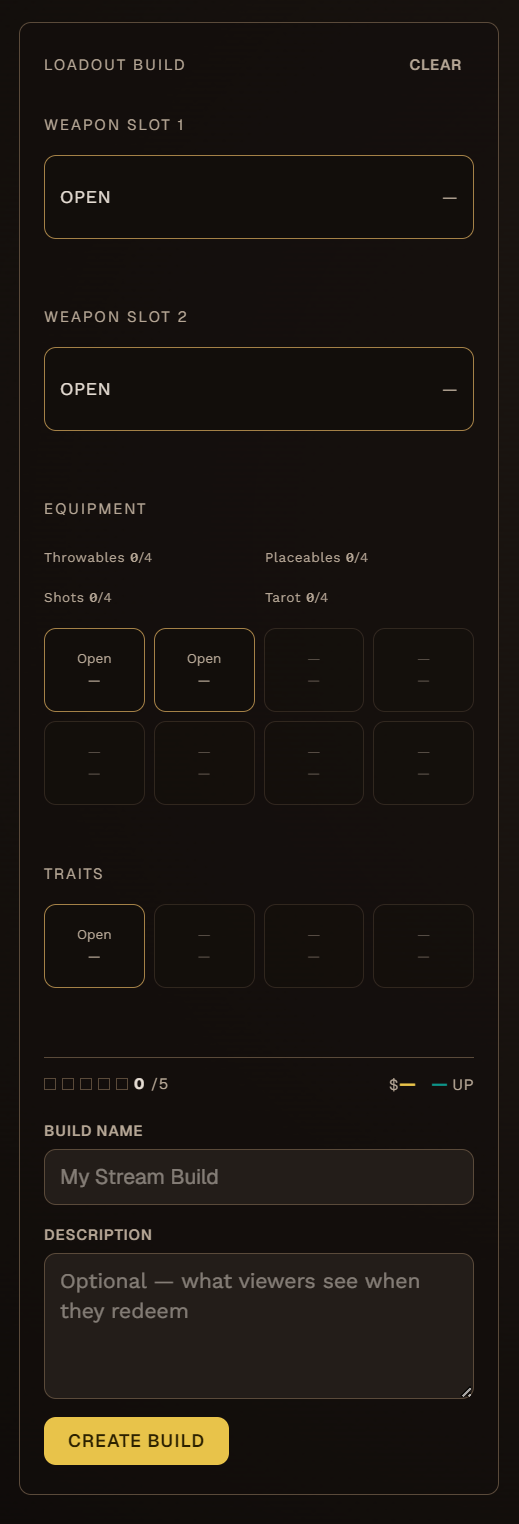
Hunt-assist loadout builder showing primary and secondary weapon slots with stat bars
Loadout Builder Full workspace
What ships with the extension

Every install comes with the full kit.

Currently in development · All features included
verified
Twitch Extension
Officially listed · OAuth-only access.
layers
Overlay + Panel
On-stream HUD and channel-page builder.
tune
Full slot control
Open or close every slot independently.
token
Channel points
Gate submissions behind your economy.
01 · Viewer submissions

From chat to
quartermaster.

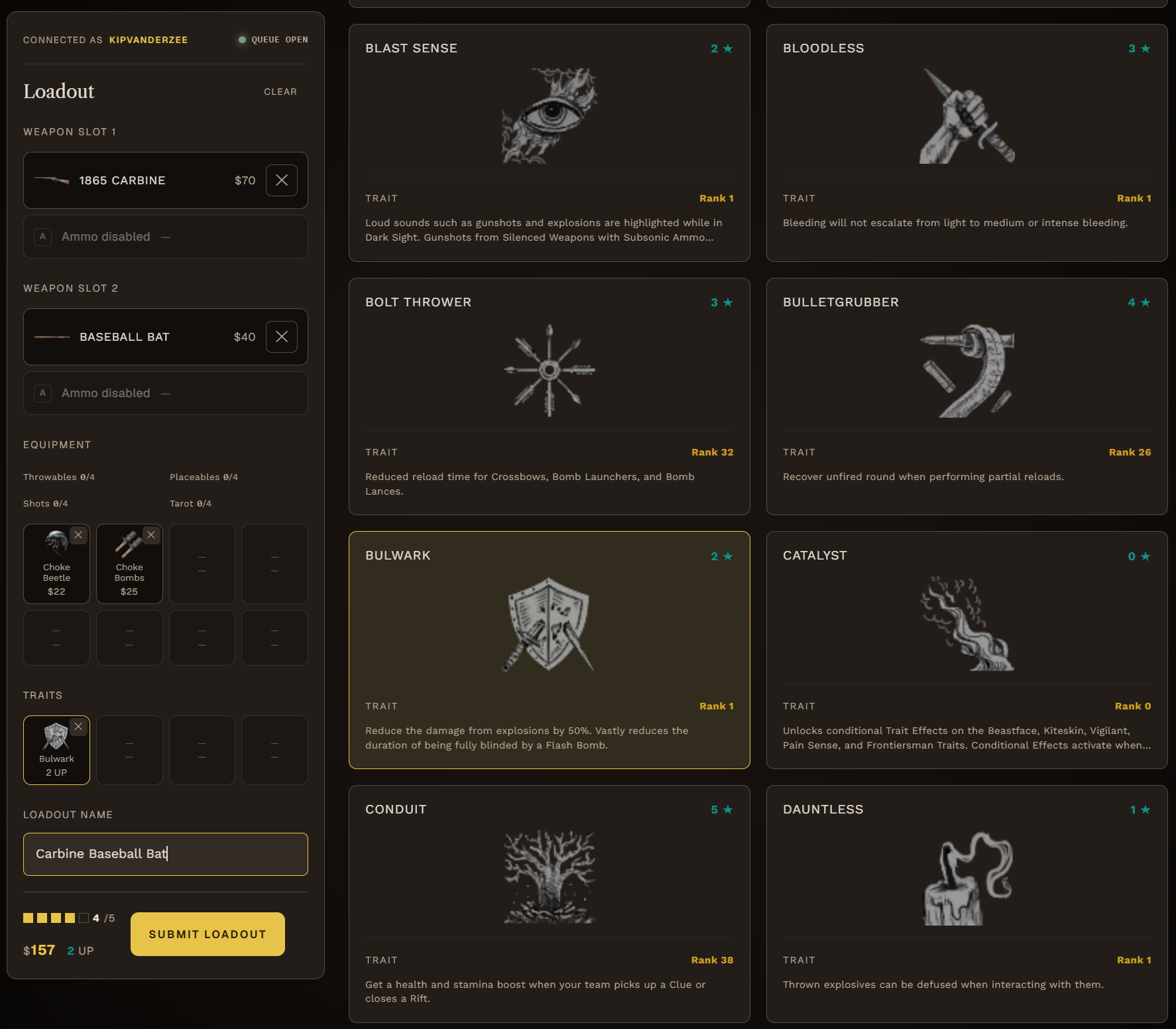
Viewers build loadouts directly from your Twitch channel page — no external site, no app download. You see every submission land in a review queue, ready to accept or decline. The accepted loadout can flow straight into your overlay as you gear up for the run.

  • check_circle
    Review queue with accept / decline
    Every submission queued, votable, and traceable.
  • check_circle
    Per-streamer history
    Track who built what. Reward the regulars.
  • check_circle
    Channel-point integration
    Gate submissions behind your own point economy.
hunt-assist.xyz/dashboard · queue ● LIVE
Loadout review queue showing submitted viewer loadouts with accept and decline actions
Review queue In-stream moderation
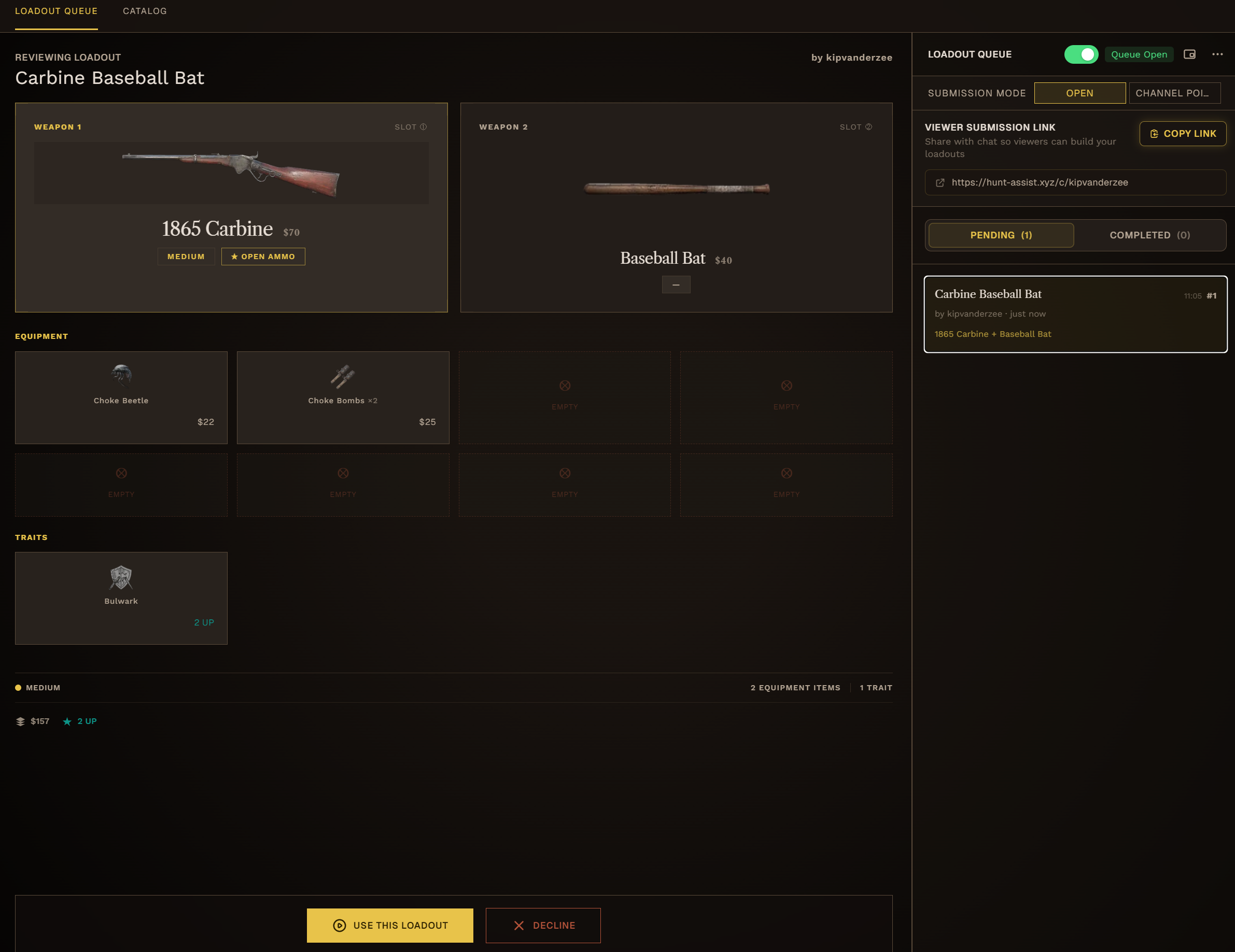
hunt-assist.xyz/dashboard/loadout-builds EDIT
Loadout builder interface showing weapon slots with stat bars and tool selection
Loadout builder Slot-level control
02 · Customization

Decide which slots
your viewers fill.

Every slot is independently configurable. Set constraints on your runs (weapon class, ammo type, tool count) and let viewers push your creativity further than you'd go alone.

Per-slot locking
Open or close primary, secondary, melee, tools, consumables independently.
Loadout rules
Constrain weapon class, ammo, or budget. Push the creativity.
Submission rules
Open submissions or channel point redemptions — you pick which.
Save & swap
Pre-build loadout profiles for different run types. One click.
03 · Catalog

The full bayou,
indexed.

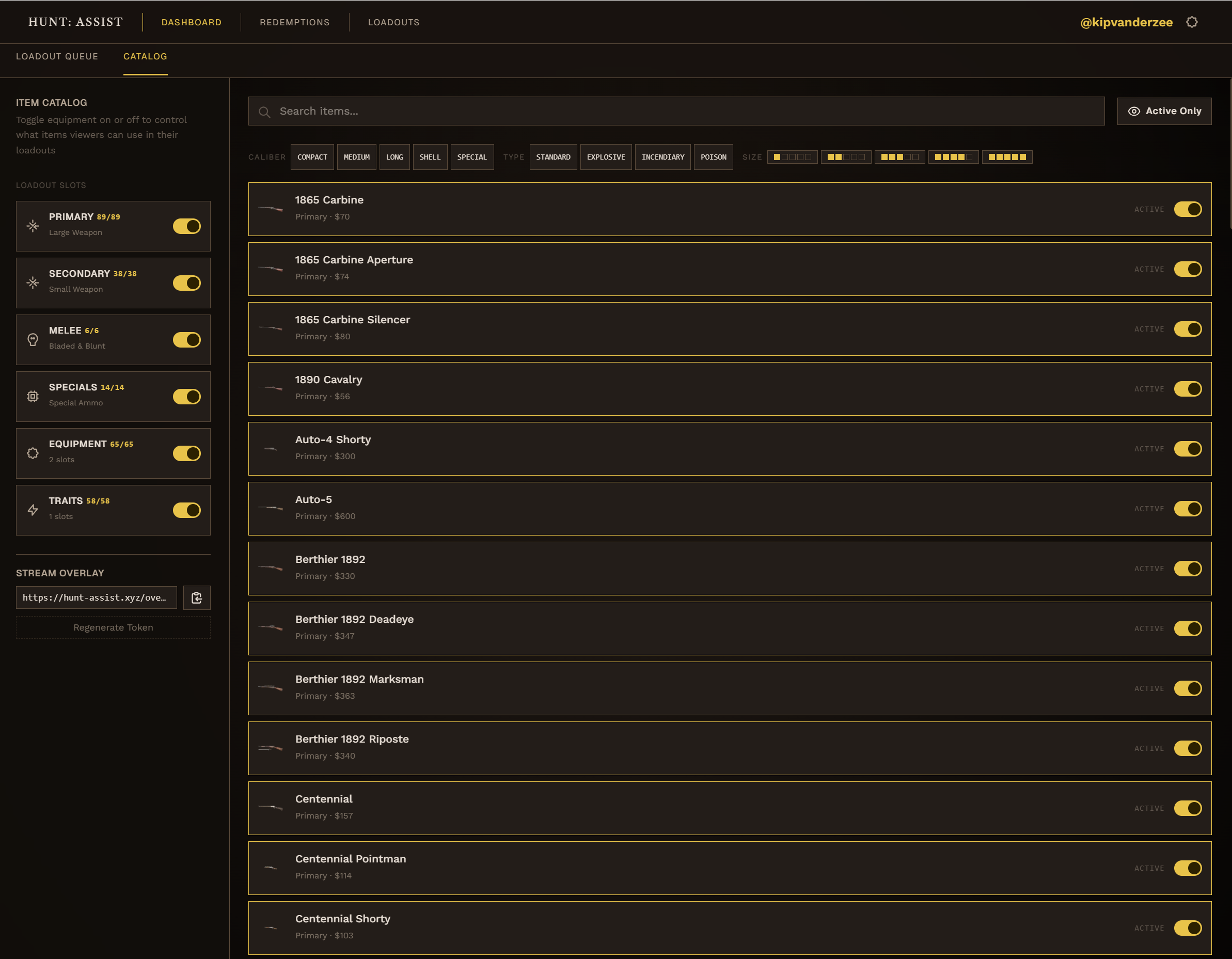
Every weapon, tool, consumable, and ammo type lives in the catalog — sortable by class, filtered by availability, searchable by name. Your viewers build from the same source of truth you do, so there are no surprises when the loadout lands on screen.
A
Search by name or class
Filter by weapon type, ammo family, and DLC availability.
B
Stat bars you can read at a glance
Damage, range, handling, rate, reload, melee — color-tiered by performance.
C
Curate the catalog
Choose which weapons, equipment, and traits are available to your viewers.
hunt-assist.xyz/catalog · weapons BROWSE
Hunt-assist catalog showing weapons, tools, and consumables available for loadout building
Catalog Searchable index
04 · How it works

From install to first viewer loadout in under a minute.

  1. 1 ~ 15 sec
    link

    Connect Twitch

    One-click OAuth. Hunt-assist reads your channel ID, sets up your extension slots, and you're authenticated.

  2. 2 ~ 30 sec
    tune

    Configure slots

    Open the slots you want viewers to fill, lock the ones you don't. Set the rules — weapon class, ammo, or tool count — and pick the channel-point cost. Save as a profile you can swap any time.

  3. 3 Live · every run
    swords

    Go live & engage

    Your overlay shows the active loadout. Viewers submit, you review, accepted loadouts stream straight to your HUD. The next bounty is theirs.

Arm the next bounty

Your viewers are
already waiting to arm you.

Open Twitch, let chat pick the kit. Your first viewer-built loadout lands on your next stream.

live_tv Connect with Twitch
schedule Setup in 60 seconds extension Currently in development